Log everything for seven days
Even the small stuff. The first week is about building the three-second habit, not about being perfect.
Guide · Start here
Updated July 15, 2026 · Simply Finance
Simply Finance is built to be set up in one sitting. There is no bank login to authorize, no account to create, and no budgeting methodology to study first. Follow the steps below and you will have a working picture of your money in about ten minutes.
You need almost nothing: a phone and the balances of the accounts you want to track. Because Simply Finance never connects to your bank, you will not be asked for a bank username, password, or any third-party login. You will type your starting balances in once, and from then on you keep them current by logging spending as it happens.
About ten minutes for the core setup. You can stop after step 4 and still have something useful — the later steps make the picture sharper.
Download Simply Finance free from the App Store or Google Play. It opens straight to a short onboarding screen — no email, no verification code, no account creation. The app is free to use; a single optional $4.99 unlock later adds sync across your devices and detailed reports, but nothing about setup requires it.
 Available now on iPhone & iPad
 Available now on Google Play
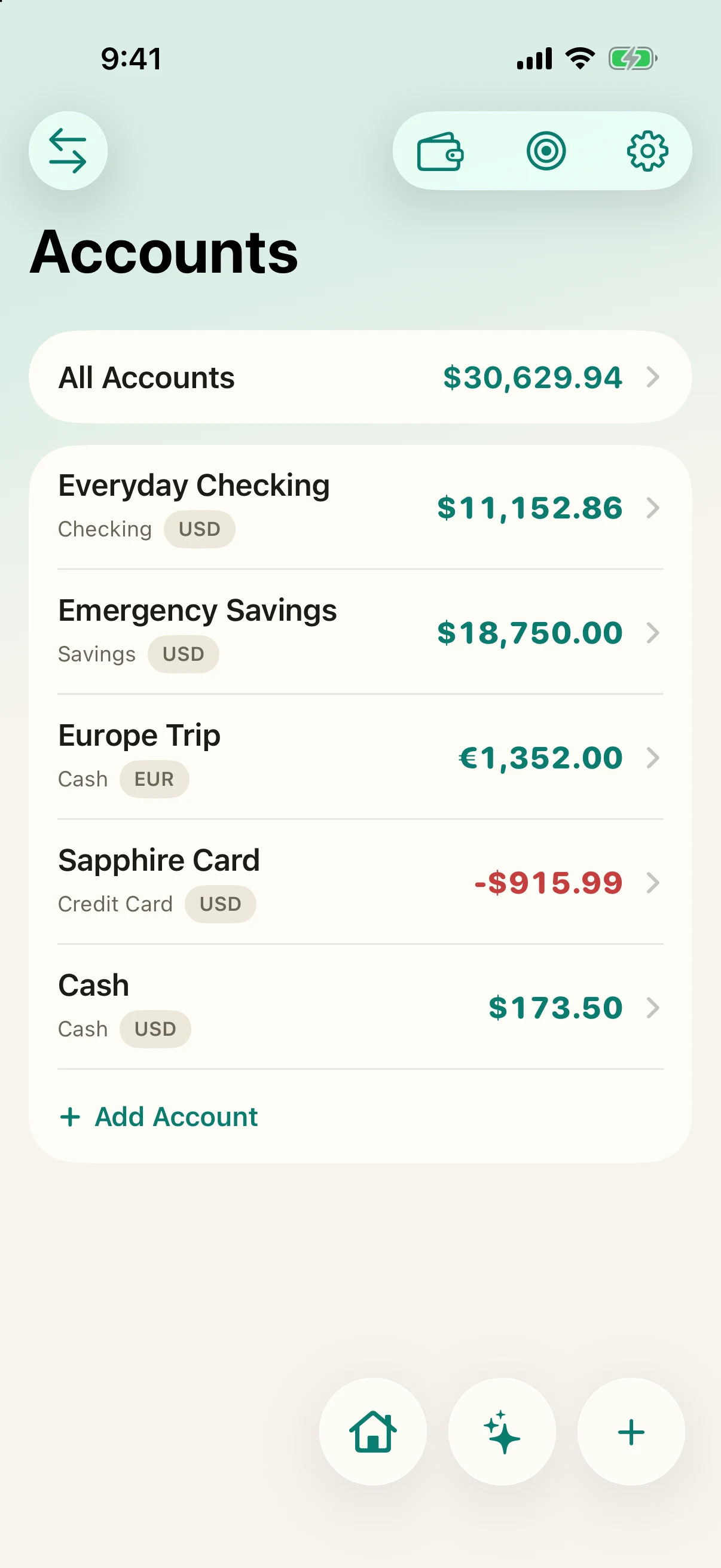
Add the accounts you want to keep an eye on: checking, savings, credit cards, and cash all live on one screen. For each, enter its current balance — whatever your bank app shows right now. That single number is your starting point; you do not need to import any history to begin.
Do not worry about being exhaustive. Two or three accounts that cover most of your spending are plenty to start. You can add more at any time.
Pick three or four categories you actually care about — groceries, eating out, transport, whatever tends to get away from you — and give each a monthly budget. Simply Finance uses plain per-category monthly budgets, so each one simply shows what you have spent, what is left, and whether you have gone over. There is no envelope method and no rules to assign.
Resist the urge to budget every category on day one. Start narrow, see what the numbers tell you after a week, and add categories as they earn their place.
The budgets guide covers how spent / remaining / over is calculated and how to pick amounts that hold up.
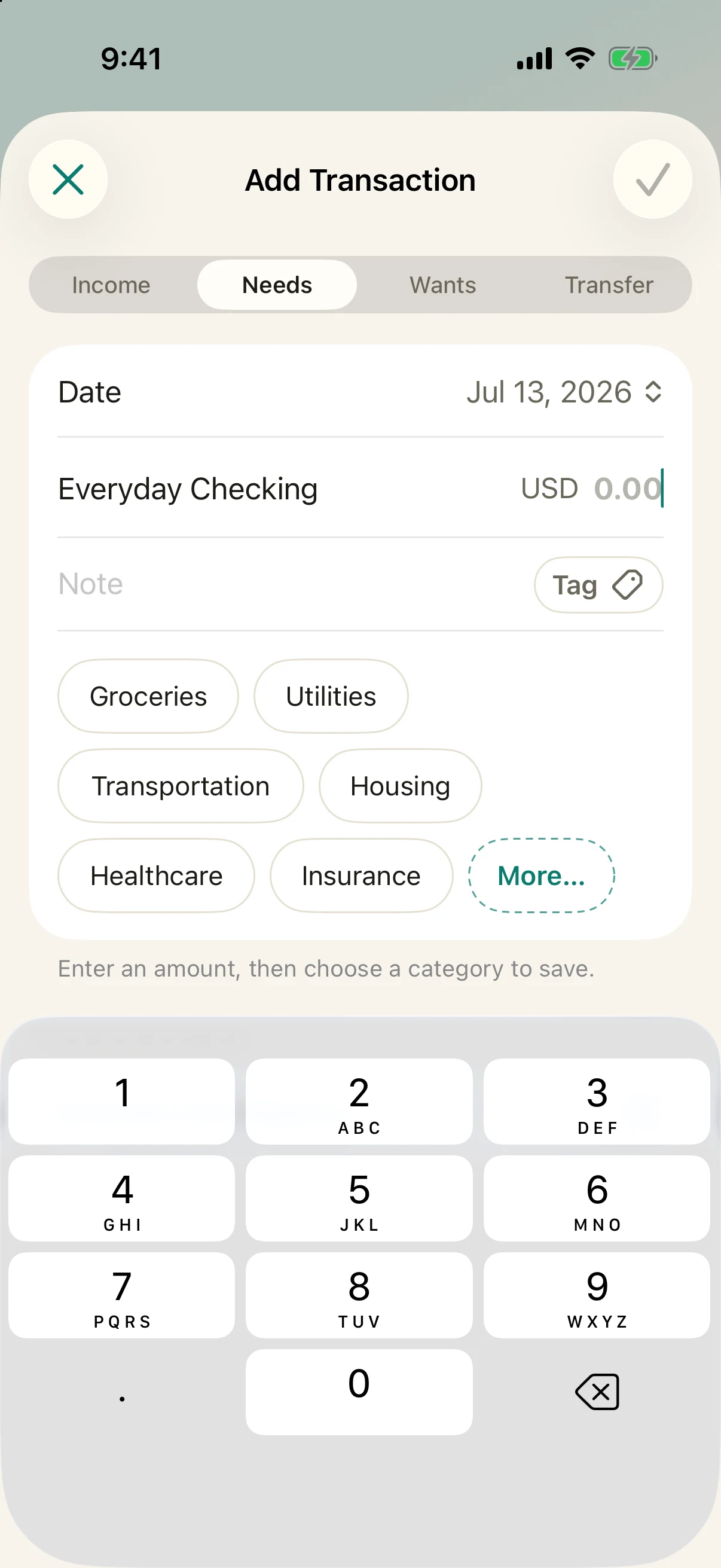
This is the habit the whole app is built around, so make it once now: tap to add a transaction, type the amount, pick a category, and save. It takes about three seconds. Because nothing is imported from a bank feed, there is nothing to reconcile later and no miscategorized imports to clean up — what you enter is exactly what you meant.
Add the things that repeat — rent, subscriptions, utilities, memberships. Simply Finance keeps them on a list and reminds you before each one is due, so you can confirm it with a tap when it lands or skip it if it did not. This is also the fastest way to spot a subscription you meant to cancel months ago.
Recurring bills feed into your forward-looking numbers, which is why they are worth adding early — they are most of what makes your runway accurate.
Now the payoff. The home screen opens straight to the answers most apps bury: your Financial Runway — how many months your money would last at your current pace — and Future Sight, which projects your balance forward from your real income and spending. These are the numbers that actually lower money anxiety, and a bank-synced dashboard rarely shows them.
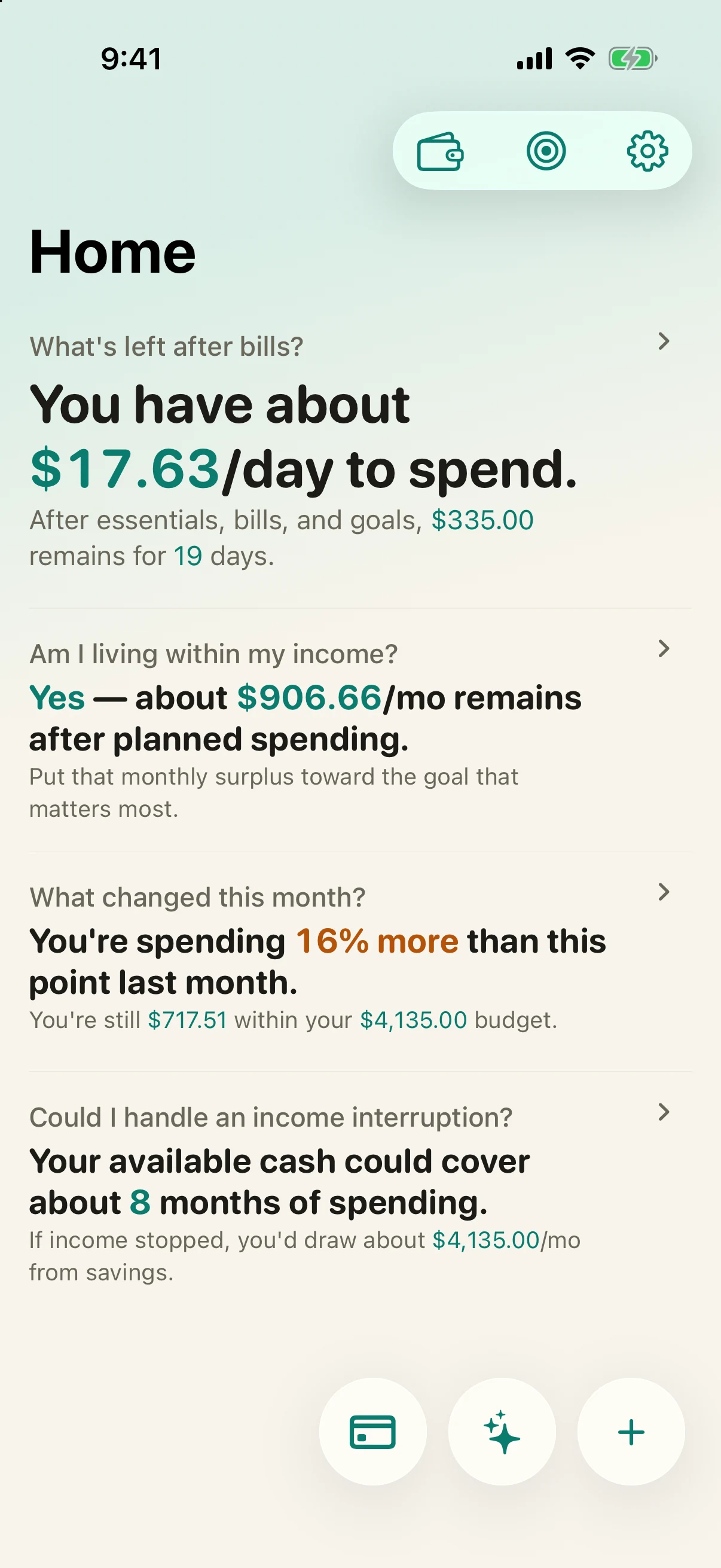
See the Financial Runway and Future Sight guide for what drives each number and how to read them.
If you want the same data on more than one device — say your iPhone and an Android tablet — the optional $4.99 unlock adds end-to-end encrypted sync. Your data is encrypted on your device before it ever leaves, so the sync relay only ever holds scrambled ciphertext: no readable balances, merchants, or amounts. If you use a single device, you can skip this entirely; everything works fully offline.
The sync & privacy guide explains exactly what leaves your device and what the servers can (and cannot) see.
Even the small stuff. The first week is about building the three-second habit, not about being perfect.
Glance at your runway once a day. Watching the number move is what makes the habit stick.
After a week you will know which budgets were guesses. Nudge them to match reality and add any categories you missed.
Open Reports to see where the money actually went. It is usually one or two categories — and now you know which.
No — there is no bank connection at all. There is no Plaid, no login, and no aggregator. You enter your starting balances once and keep them current by logging spending, which takes about three seconds a time.
Yes. Import transaction history from Copilot, YNAB, Monarch, Mint, Simply Finance, or a compatible CSV. Review the detected accounts, categories, dates, and duplicates before saving anything.
Yes. The app is free to use; a single optional $4.99 in-app purchase adds sync across your devices and detailed reports. There is no subscription and nothing renews.
Nothing breaks. Add the transactions whenever you remember — there is no feed to fall out of sync and no penalty for a gap.
Yes. Simply Finance is local-first, so it works fully offline. Optional sync only moves encrypted data between your own devices when you are connected.